
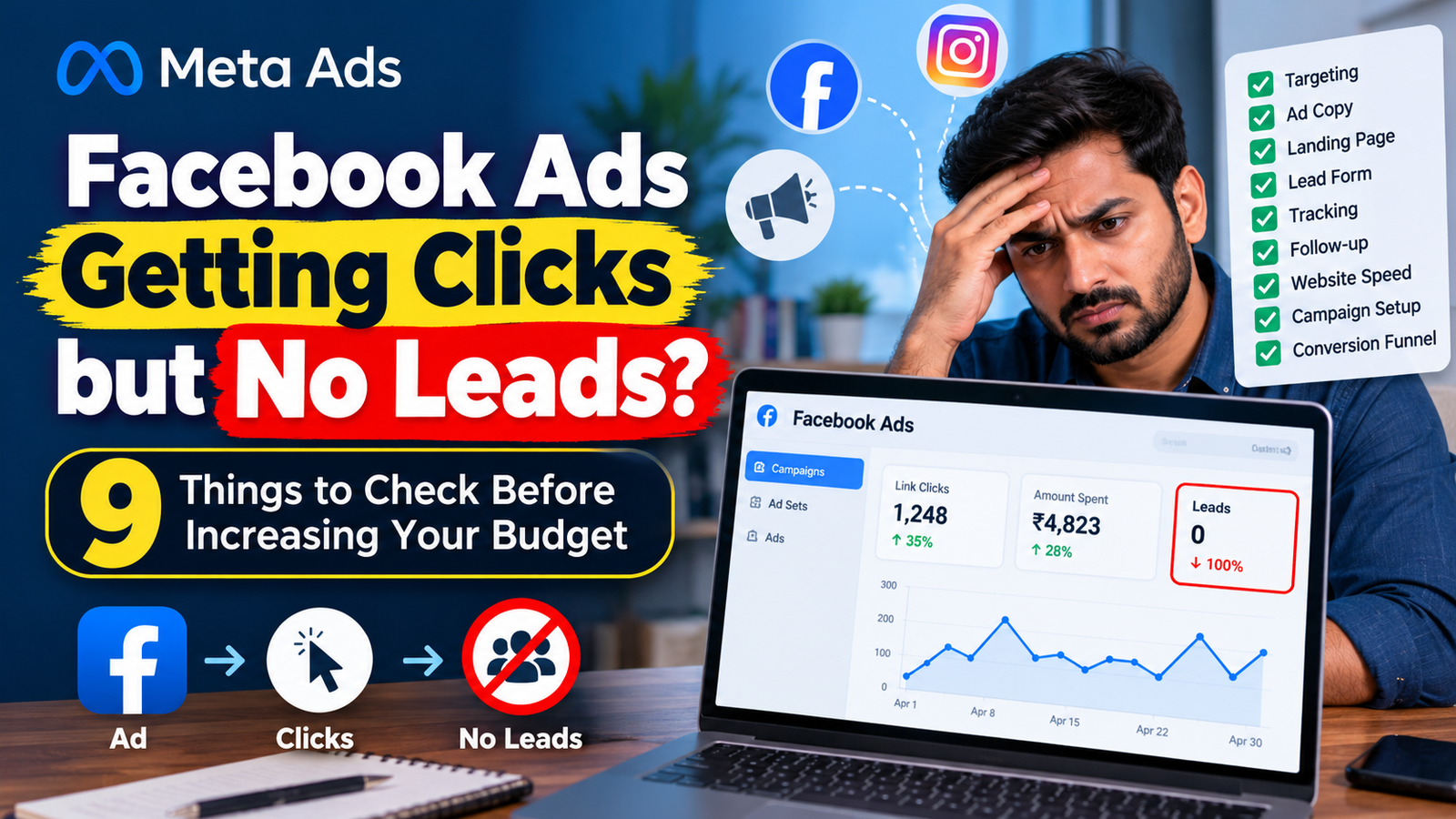
You are running Facebook Ads. People are clicking your ads, your campaign is spending money, and Ads Manager shows traffic coming in. But there is one major problem: you are not getting enough leads.
For many businesses, this is one of the most frustrating digital marketing challenges. You invest in advertising, receive clicks, and still struggle to generate enquiries, phone calls, or customer registrations.
Before increasing your advertising budget, you need to understand what is happening after someone clicks your ad.
The problem could be your audience targeting, ad messaging, offer, landing page, lead form, tracking setup, or follow-up process. Increasing the budget without identifying the real issue may simply increase your losses.
In this guide, we will explore nine practical checks to help you diagnose why your Facebook Ads are getting clicks but no leads, and what you can do to improve campaign performance.
Why Are Facebook Ads Getting Clicks but No Leads?
A click is not the same as a conversion.
Someone might click your ad because the creative looks attractive, the headline catches their attention, or they are curious about your offer. However, they may leave without submitting a form or contacting your business.
Consider this example:
| Campaign Metric | Example Result |
|---|---|
| Advertising spend | ₹3,000 |
| Link clicks | 300 |
| Landing page visits | 240 |
| Leads generated | 3 |
| Cost per lead | ₹1,000 |
In this example, the campaign generates three leads from ₹3,000 in advertising spend. The cost per lead is ₹1,000.
These numbers are illustrative, not industry benchmarks. Whether this performance is acceptable depends on your business model, lead quality, conversion rate, and customer acquisition economics.
The next step is not automatically to increase the budget. It is to identify where potential customers are dropping out of the conversion journey.
1. Check Whether You Are Targeting the Right Audience
One of the most common reasons for getting clicks without enquiries is a mismatch between the people seeing your advertisements and the people likely to purchase your product or service.
Your advertisement might attract attention from people who are interested in the topic but have no intention of becoming customers.
For example, a digital marketing training program may attract people who enjoy watching marketing videos but are not currently looking for professional training.
Similarly, a local interior design business may receive clicks from people outside its service area.
How to Fix Audience Targeting
Start by reviewing your campaign settings and audience data.
- Location: Are you targeting areas where you can actually serve customers?
- Age and other relevant demographics: Are your settings appropriate for your intended customer group?
- Audience relevance: Does the audience have a realistic need for your product or service?
- Placements: Are certain placements generating clicks without meaningful engagement?
- Lead quality: Are enquiries coming from people who can afford, need, or use your offering?
Avoid narrowing your audience unnecessarily. A highly restricted audience is not automatically better than a broader one.
Use campaign data to identify patterns, and make changes based on evidence rather than assumptions.
For local businesses, ensure that your geographical targeting matches your actual service coverage. A business serving Bhubaneswar, for example, should evaluate whether its campaign is attracting relevant prospects from its intended service area.
2. Improve Your Ad Copy and Offer
Your advertisement may be getting clicks because it is interesting, but the message might not attract the right potential customers.
A common mistake is creating an advertisement that generates curiosity without communicating a clear reason to enquire.
For example, compare these two messages.
Generic ad copy:
“Want to grow your business? Contact us today for digital marketing services.”
More specific ad copy:
“Getting website visitors but not enough enquiries? Get a practical digital marketing audit to identify gaps in your lead generation process.”
The second example addresses a specific business problem and explains the value of taking action.
What Your Ad Copy Should Include
A strong lead-generation advertisement should communicate:
- The problem: What challenge does your target customer face?
- The solution: How can your product or service help?
- The benefit: What relevant outcome can the customer expect?
- The offer: Why should the person enquire now?
- The call to action: What should the person do next?
Your offer should also match the audience’s level of interest.
Someone who has never heard of your business may need an informative consultation or useful resource before making a purchase decision. Someone already comparing providers may be ready for a quotation or product demonstration.
Test different messages and offers while keeping the audience and other important variables as consistent as possible.
3. Check Whether Your Landing Page Converts Visitors
If people click your Facebook Ads but do not submit enquiries, your landing page deserves immediate attention.
You may be paying to bring visitors to your website, only to lose them because the page is confusing, slow, difficult to use, or unrelated to the advertisement.
Common Landing Page Problems
- The headline does not match the ad.
- Important information is hidden below the fold.
- The page takes too long to load.
- The contact form contains too many fields.
- The call-to-action button is difficult to find.
- The page is difficult to use on mobile devices.
- Visitors cannot understand what happens after they enquire.
- The page lacks relevant trust signals.
How to Improve Landing Page Conversion
Match the headline with the advertisement. If your ad promotes a free consultation, the landing page should immediately explain that consultation.
Make the next step obvious. Use a clear call to action such as “Request a Consultation” or “Get a Quote.”
Simplify the form. Collect only the information you need at this stage. Additional questions should have a clear purpose.
Improve mobile usability. Test the page on an actual smartphone, including the form, buttons, and any WhatsApp or call links.
Build trust. Use genuine testimonials, relevant case studies, clear business details, and transparent service information where available.
Test the complete journey. Open the advertisement destination, complete the form, and verify that the submission works.
For a deeper understanding of the fundamentals, refer to Google’s SEO Starter Guide for website content and usability guidance.
Remember that SEO guidance is not a replacement for conversion testing. Your landing page should be evaluated against its specific advertising objective.
4. Choose the Right Campaign Objective and Conversion Location
Your campaign settings influence what Meta tries to optimize for.
If your business needs enquiries but your campaign is primarily designed to generate traffic, you may attract people who click frequently without completing the desired action.
A traffic-focused campaign is not inherently wrong. It can be appropriate when website visits are the actual goal. However, when your primary objective is lead generation, your campaign configuration should reflect that goal.
What Should You Review?
Check these elements in Ads Manager:
- Campaign objective: Does it match your intended outcome?
- Conversion location: Are you sending people to a website, an instant form, messaging, or another supported destination?
- Performance goal: Is the campaign optimized for the action you actually want?
- Conversion event: If using a website conversion setup, is the intended event configured correctly?
- Destination: Does the ad send people to the correct page or form?
For example, if you want customers to submit an enquiry through your website, make sure the relevant conversion event is configured and available for the selected campaign setup.
If you want users to submit an instant form, check that the correct form is attached to the advertisement and that the questions are appropriate for your offer.
Meta’s campaign options and interface can change, so review the available settings in your own Ads Manager account.
For official learning resources, visit Meta Blueprint, which provides training on Meta advertising and lead generation.
5. Review Your Lead Form and Remove Unnecessary Friction
Sometimes your advertisements are reaching the right audience, but the enquiry process is stopping people from completing the action.
This is especially common when forms request too much information or ask questions that seem unnecessary at the initial stage.
Imagine a person interested in a consultation. If your form requests their name, phone number, email address, company size, annual revenue, budget, address, and several other details, they may decide not to complete it.
How to Make Your Lead Form More Effective
- Request only the information required to initiate a conversation.
- Explain what the person will receive after submitting the form.
- Use clear, simple questions.
- Make any essential qualification questions relevant to the service.
- Check that the form works correctly on mobile devices.
- Ensure your privacy information is accessible and appropriate.
For Meta instant forms, review the available form types and settings in your account. A form designed to introduce less friction may increase submissions, while additional review steps may help filter out some low-intent enquiries.
Neither approach is universally better. The right choice depends on your sales process.
Important: Do not evaluate a form only by the number of submissions. A lower volume of relevant, qualified enquiries may be more valuable than a large number of unsuitable leads.
6. Verify Your Meta Pixel and Conversion Tracking
A campaign may appear to be generating no leads because conversion tracking is not working correctly.
This is different from a genuine conversion problem.
For example, a visitor may successfully submit your enquiry form, but the intended conversion event may not fire. Ads Manager could then underreport conversions, making it difficult to evaluate campaign performance.
Alternatively, a tracking event may fire when someone merely views a page, creating misleading conversion numbers.
What to Check
Step 1: Review your conversion event.
Identify the action you want to measure, such as a successful lead form submission.
Step 2: Test the user journey.
Visit the landing page and complete a test submission using a controlled test process.
Step 3: Check your event setup.
Use the relevant Meta Events Manager tools to verify whether the expected event is received.
Step 4: Review duplicate or incorrect events.
Ensure that events represent the intended action and are not being counted multiple times because of incorrect configuration.
Step 5: Compare with actual business records.
Compare the submissions recorded by your website or CRM with the conversions reported in Ads Manager. Allow for differences caused by attribution, consent, reporting windows, and measurement limitations.
If your website relies on the Meta Pixel, review its implementation. Depending on your setup, the Meta Conversions API may also help improve event data transmission and measurement.
Meta provides official training on setting up the Meta Pixel and Conversions API.
Do not install additional tracking tools blindly. First identify which events are missing, duplicated, or incorrectly configured.
7. Check Your Website Speed and Mobile Experience
Many people discover businesses through mobile devices. If your landing page is slow or difficult to navigate, some visitors may leave before they reach your enquiry form.
Even an attractive advertisement cannot compensate for a poor destination experience.
Practical Website Checks
- Test the landing page using a mobile device and a typical mobile connection.
- Check whether the main content appears promptly.
- Verify that buttons are easy to tap.
- Ensure that forms display correctly on smaller screens.
- Remove unnecessary pop-ups or distracting elements.
- Confirm that the page does not contain broken links or layout problems.
- Check whether images and scripts are affecting loading performance.
Use Google PageSpeed Insights to assess performance and identify opportunities for improvement.
Focus on issues that materially affect the user experience. A performance score is useful diagnostic information, but it is not a substitute for testing actual conversions.
If your campaign sends visitors to WhatsApp, verify that the link opens correctly and that the prefilled message, where used, is relevant to the advertisement.
8. Improve Your Lead Follow-Up Process
Generating a lead is only one stage of the customer journey.
If a person submits a form but nobody responds, the business may still lose the opportunity. In some cases, the problem is not the advertisement at all; it is the process that happens after submission.
Questions to Ask Your Team
- Are new leads reaching the correct inbox or CRM?
- Is someone responsible for responding to enquiries?
- How quickly are leads contacted during business hours?
- Are phone numbers and email addresses being recorded correctly?
- Are enquiries being categorized and assigned?
- Does the team record which leads become customers?
Create a simple lead management process:
- Capture the enquiry.
- Store it in a central location.
- Notify the responsible team member.
- Contact the prospect promptly.
- Record the outcome.
- Follow up appropriately if the prospect has not responded.
You can use a CRM or a structured spreadsheet to start. Automation tools can also help route enquiries to the right team, provided that the integrations are configured and tested correctly.
For example, website leads could be sent to a Google Sheet and trigger an internal notification. This reduces manual work and makes it easier to identify missed enquiries.
If you are receiving leads but struggling to convert them into sales, investigate the sales process before concluding that the campaign itself has failed.
9. Analyse Your Funnel Before Increasing the Budget
The final step is to look at the complete customer journey rather than focusing on clicks alone.
Your advertising report should help you identify where people are dropping out.
| Funnel Stage | What to Check |
|---|---|
| Ad impressions | Is the advertisement reaching the intended audience? |
| Link clicks | Is the creative attracting relevant interest? |
| Landing page views | Are clicks turning into actual page visits? |
| Form starts | Are visitors engaging with the enquiry process? |
| Form submissions | Are visitors completing the form? |
| Qualified leads | Are enquiries relevant to the business? |
| Sales | Are qualified leads turning into customers? |
These metrics should be interpreted together. For example, a large gap between link clicks and landing page views may indicate loading delays, accidental clicks, or measurement differences. A large gap between form starts and submissions may suggest unnecessary friction or a weak offer.
A Simple Diagnostic Example
Suppose your campaign generates 200 link clicks, but your website records only 120 landing page visits.
Before changing the audience or increasing the budget, investigate why the two numbers differ. Not every difference indicates a technical failure, but the gap deserves examination.
Now suppose 120 visitors reach the landing page, 25 start the form, and only two submit it.
In this case, inspect the form, the offer, the page content, and the questions being asked.
Finally, if 20 leads are generated but only two are qualified, review the targeting, message, offer, and qualification process.
The point is simple: identify the stage that is underperforming before making major campaign changes.
When Should You Increase Your Facebook Ads Budget?
Consider increasing your budget only after you have sufficient evidence that the campaign is generating relevant results and that the cost per qualified lead is sustainable for your business.
Before scaling, review:
- Cost per lead and cost per qualified lead
- Lead-to-customer conversion rate
- Customer acquisition cost
- Revenue or contribution margin from acquired customers
- Tracking reliability
- The sales team’s ability to handle additional enquiries
Make changes carefully and monitor the impact. Large, frequent edits can make campaign performance harder to interpret.
A lower cost per lead is not always better if those leads rarely become customers.
Frequently Asked Questions
1. Why are my Facebook Ads getting clicks but no leads?
Possible causes include irrelevant traffic, a weak offer, a poorly designed landing page, a complicated form, incorrect campaign settings, tracking issues, or ineffective follow-up. Review each stage of the conversion funnel to identify the actual cause.
2. Should I increase my Facebook Ads budget if I am not getting leads?
Not immediately. First investigate whether the campaign is attracting the right audience, whether the landing page and form work correctly, and whether conversions are being measured accurately. Increasing spend before diagnosing the problem may increase wasted expenditure.
3. What is a good conversion rate for Facebook Ads?
There is no single conversion rate that applies to every campaign. Performance depends on the industry, offer, audience, campaign objective, landing page, and how a conversion is defined. Compare results with your own historical performance and business economics rather than relying on an arbitrary universal benchmark.
4. Are Facebook Ads and Meta Ads the same?
Facebook Ads are part of Meta’s advertising ecosystem. Meta Ads can include advertising across Facebook, Instagram, Messenger, and other eligible placements, depending on the campaign setup.
5. How can I improve lead quality from Meta Ads?
Use relevant audience targeting, clear advertising messages, appropriate offers, well-designed lead forms, and sensible qualification questions. Track which enquiries become customers and use that information to improve future campaigns.
6. Can tracking problems cause Facebook Ads to report fewer leads?
Yes. Incorrect event configuration, missing tracking events, consent-related limitations, or differences in attribution and reporting can affect reported conversions. Compare advertising reports with actual form submissions and CRM records to investigate discrepancies.
7. Should I use a website landing page or a Meta instant form?
The right choice depends on your business and campaign objective. Instant forms can simplify the submission process, while website landing pages provide more control over the experience and can support more detailed information. Test the available options and compare qualified lead outcomes.
Conclusion: Fix the Conversion Problem Before Spending More
If your Facebook Ads are getting clicks but no leads, the solution is not necessarily a bigger budget.
Start by checking audience relevance, ad copy, the offer, landing page experience, campaign settings, lead form friction, conversion tracking, website performance, and follow-up processes.
Work through these nine checks systematically. Identify the weakest stage, make a measurable improvement, and evaluate the results before making further changes.
Effective advertising is not just about generating traffic. It is about attracting the right people, helping them take the next step, and turning relevant enquiries into business outcomes.
Want to Learn Practical Digital Marketing and Lead Generation?
At Learn With Rakesh, explore practical digital marketing training covering Meta Ads, Google Ads, SEO, website development, analytics, AI tools, and other essential marketing skills.
Learn how different marketing channels work together, practise campaign analysis, and develop the skills needed to make better marketing decisions.
Explore Learn With Rakesh:
https://www.digitalmarketingexpertrakesh.com/learn-with-rakesh/